JavaScript Objects
Software Engineer intern @Azend Technologies | 3rd year)| Undergraduate at Faculty of Information Technology | BSc (Hons.) ITM | University of Moratuwa.
In JavaScript, objects are a fundamental data type that allows you to store key-value pairs. Objects can be created using object literals, which are enclosed in curly braces {}.
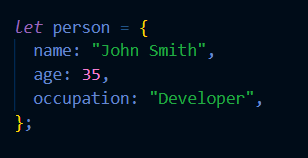
An example of an object that represents a person:
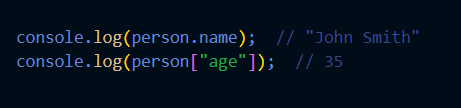
can access the properties of an object using the dot notation (object.property) or the bracket notation (object["property"]). For example:
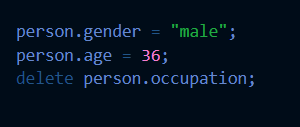
can also add, modify, or remove properties from an object:
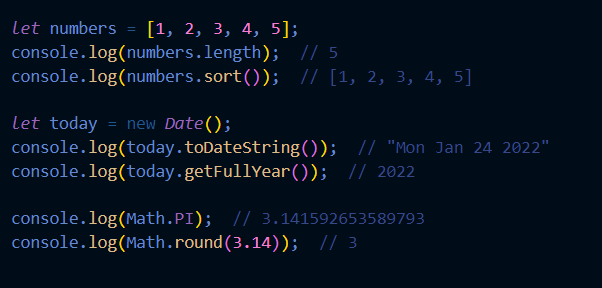
JavaScript also has several built-in objects, such as the Array, Date, and Math objects. Here are some examples of how to use these objects:
There are several ways to create objects in JavaScript
Object literals: Objects can be created using object literals, which are enclosed in curly braces {}. Here's an example of an object that represents a person:
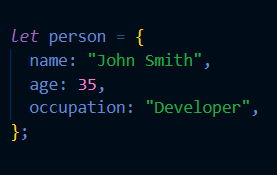
The
Objectconstructor: You can use theObject()constructor to create an object. Here's an example: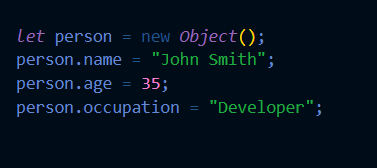
The
Object.create()method: You can use theObject.create()method to create an object and set its prototype. Here's an example: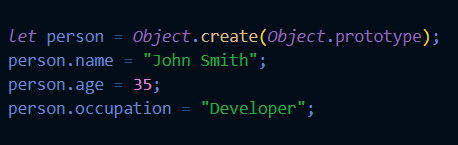
The
classkeyword: JavaScript also has aclasskeyword which allows you to create a blueprint for an object using a class. Here's an example: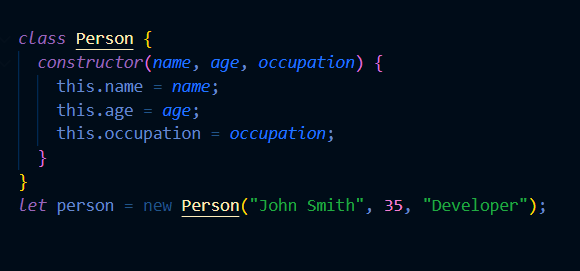
The
Object.defineProperties()andObject.defineProperty()methods: These methods allow you to define properties on an object and set their attributes (e.g. writable, enumerable, configurable).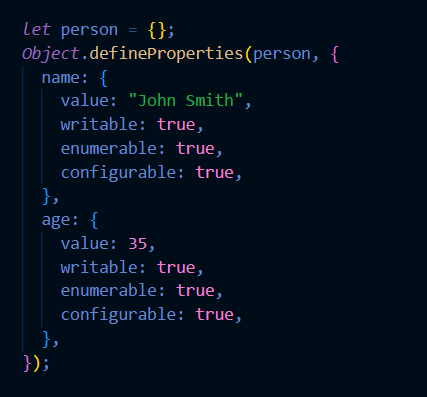
The
Object.assign()method : The Object.assign() method is used to copy the values of all enumerable own properties from one or more source objects to a target object. It will return the target object.
The
Object.fromEntries()method : The Object.fromEntries() method returns an object created from an iterable of key-value pairs.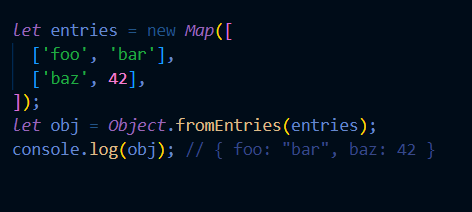
The
Object.entries()method : The Object.entries() method returns an array of a given object's own enumerable property [key, value] pairs, in the same order as that provided by a for...in loop.
The
Object.keys()method : The Object.keys() method returns an array of a given object's own enumerable properties, in the same order as that provided by a for...in loop.
The
Object.values()method : The Object.values() method returns an array of a given object's own enumerable property values, in the same order as that provided by a for...in loop.